

Since I first got introduced to Generative AI, working with it meant firing up my favorite Chat app and interacting with my favorite model in a Q&A fashion. Everything changed in the past year when I discovered the power of Agentic AI. Now I use AI agents for a good chunk of things I typically do on my computer.
From market research to competitive analysis, from scouring the web to LinkedIn, Reddit, and Twitter, I don’t have to waste my precious time or mental bandwidth; I can have my agent compile deep research and even summarize it for me to review. I use AI agents to curate vacation ideas and find flights and hotels that suit my particular needs. Though I don’t trust it with my credit card yet, and I didn’t jump on the whole OpenClaw bandwagon either. AI Agents even help me edit my videos end-to-end, complete with titles and motion graphics; vibe-code a nice UI or an entire app; or build an end-to-end data engineering pipeline.
That’s exactly what I want to demo this time. How to graduate from debugging arbitrary SQL and dbt code using ChatGPT interactively and copying/pasting code between my codebase and the chat app to building your first AI agent that can accomplish a bounded task end-to-end by making use of certain tools that I have made available to the agent. So let’s get started.
Debugging with ChatGPT
In the previous post, I used Claude Code to build source and staging dbt layers for a retail distributor by providing conventions and standards that informed Claude of the business rules and coding standards. This time, let’s begin by asking Codex (just switching up to show that once you have the basics defined, you can use any frontier model or switch models midstream without losing any context) to clone the repo: github.com/snudurupati/agentic-data-analytics and set up the local environment.
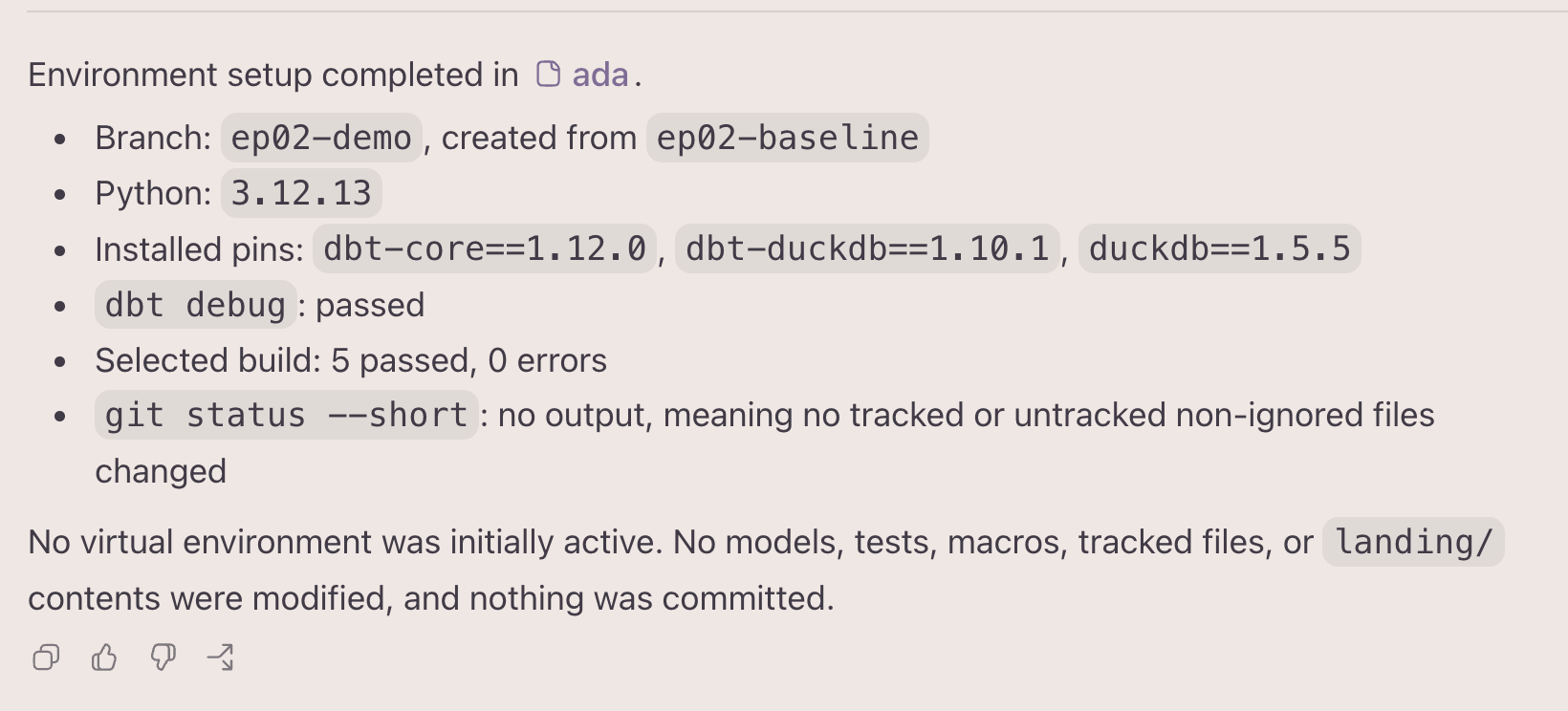
As you can see in the screenshot above, Codex cloned the repo and set upet up the local environment, including the required Python, DuckDB, and dbt-duckdb versions. It also ran dbt debug and reports that it ran 5 tests and that all passed. However, conventions clearly state that Transaction IDs are not unique across branches. But the dbt source of POS transaction data adds a uniqueness test on transaction_id alone, even though the grain is actually the combination of branch_id and transaction_id.
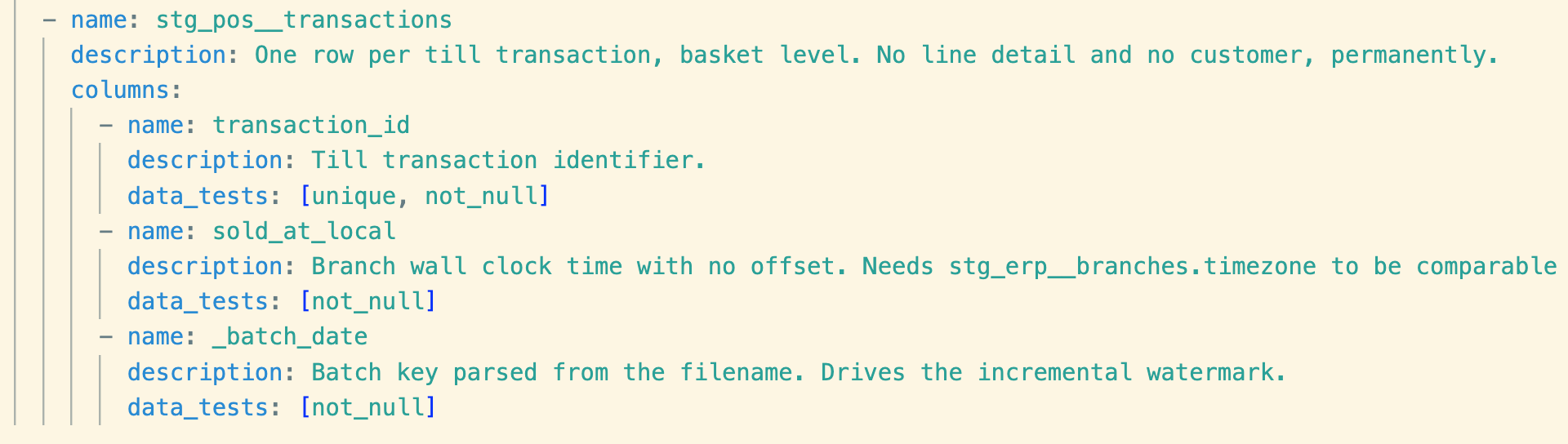
The sample data doesn’t contain the values that expose this mistake, so the test passes this time. This is a classic example of silent failures in data engineering pipelines. The fix is to add a uniqueness test on the two columns
Typically, one would fire up their favorite AI chat app and type in a prompt as shown below.
In a dbt staging model, transaction IDs can repeat across branches.
The grain is branch_id and transaction_id together.
Show me the YAML tests I should write.
The chatbot gives me some YAML code in response; however, it doesn’t understand my project, the conventions, my coding standards, which tables and columns are involved, etc. So the response is pretty generic, and it’s up to me, as the data engineer, to retrofit the chatbot response into my codebase and make sure everything works properly.
However, there’s a better and more efficient way to use the same GenAI model to achieve this bounded task, from reading my existing codebase to editing the YAML file to running tests to make sure the test actually works to ensuring nothing else is broken in the process. A better way would be to use an AI agent to achieve the end-to-end task in a bounded manner. Before I show you how to create your first Agentic AI task, let me first make the distinction between a chatbot and an AI agent.
Chatbot vs. AI Agent.
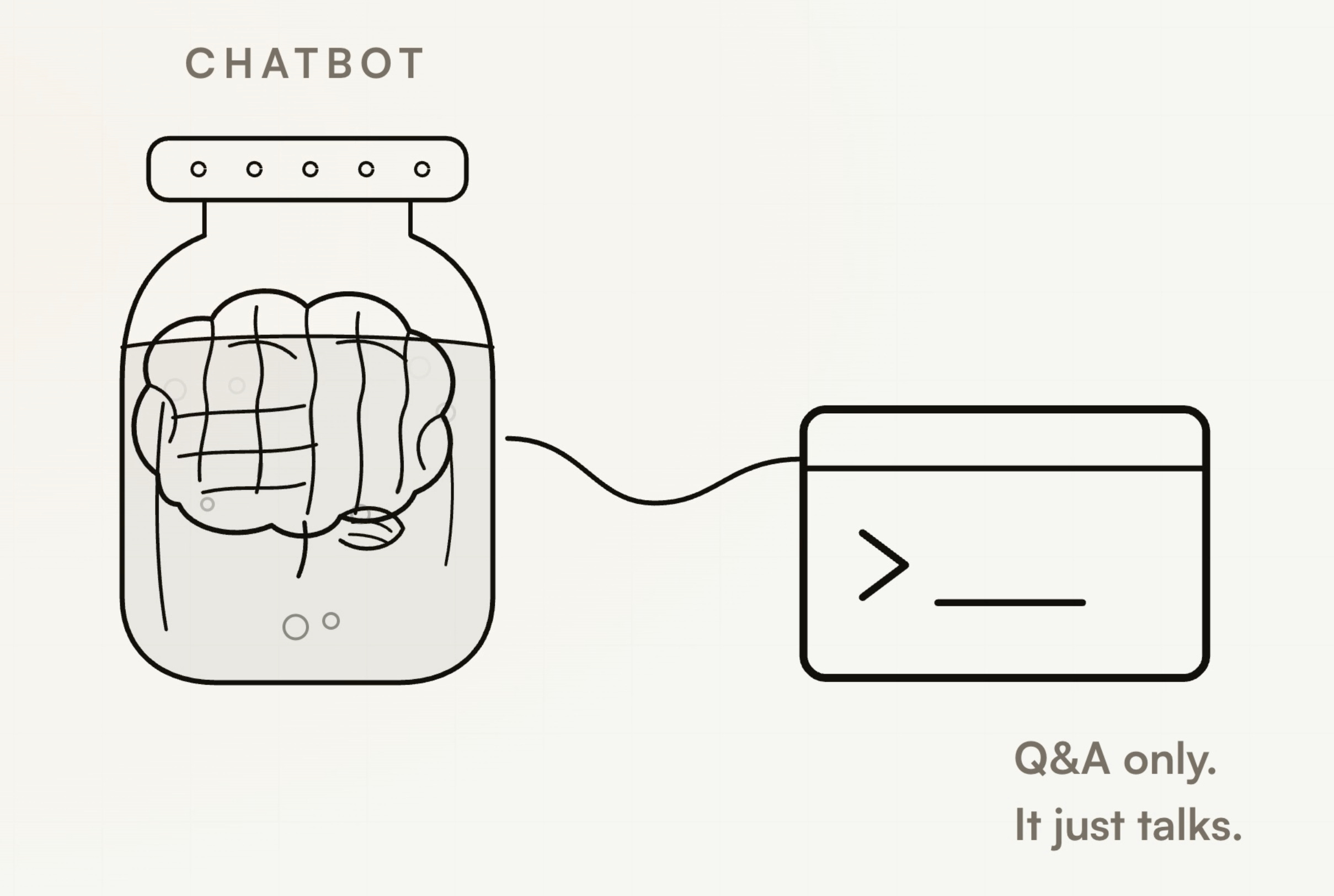
Let’s take an analogy: think of a chatbot as a brain in a jar connected to a terminal where one can ask questions and the brain responds. You can copy your code or questions into the UI and copy the brain’s responses back into your codebase. Though the brain is pretty smart and very capable of solving problems, it is limited by its inability to see or interact with the real world, or in this case, your codebase. So the brain is only as smart as your ability to ask the right question or provide sufficient context. In a way, the brain is limited by your prompt engineering skills.
Now imagine you can give the brain-in-a-jar limbs, a memory system, and a central nervous system to coordinate and control the limbs, plus a personality that defines what the agent primarily does and its boundaries. This turns the brain into a perceiving agent capable of completing multi-step tasks until either the goal is achieved or a failure condition is met. Here, the limbs have access to various tools, the central nervous system is called a harness, and AGENTS.md (or CLAUDE.md) imparts the personality.
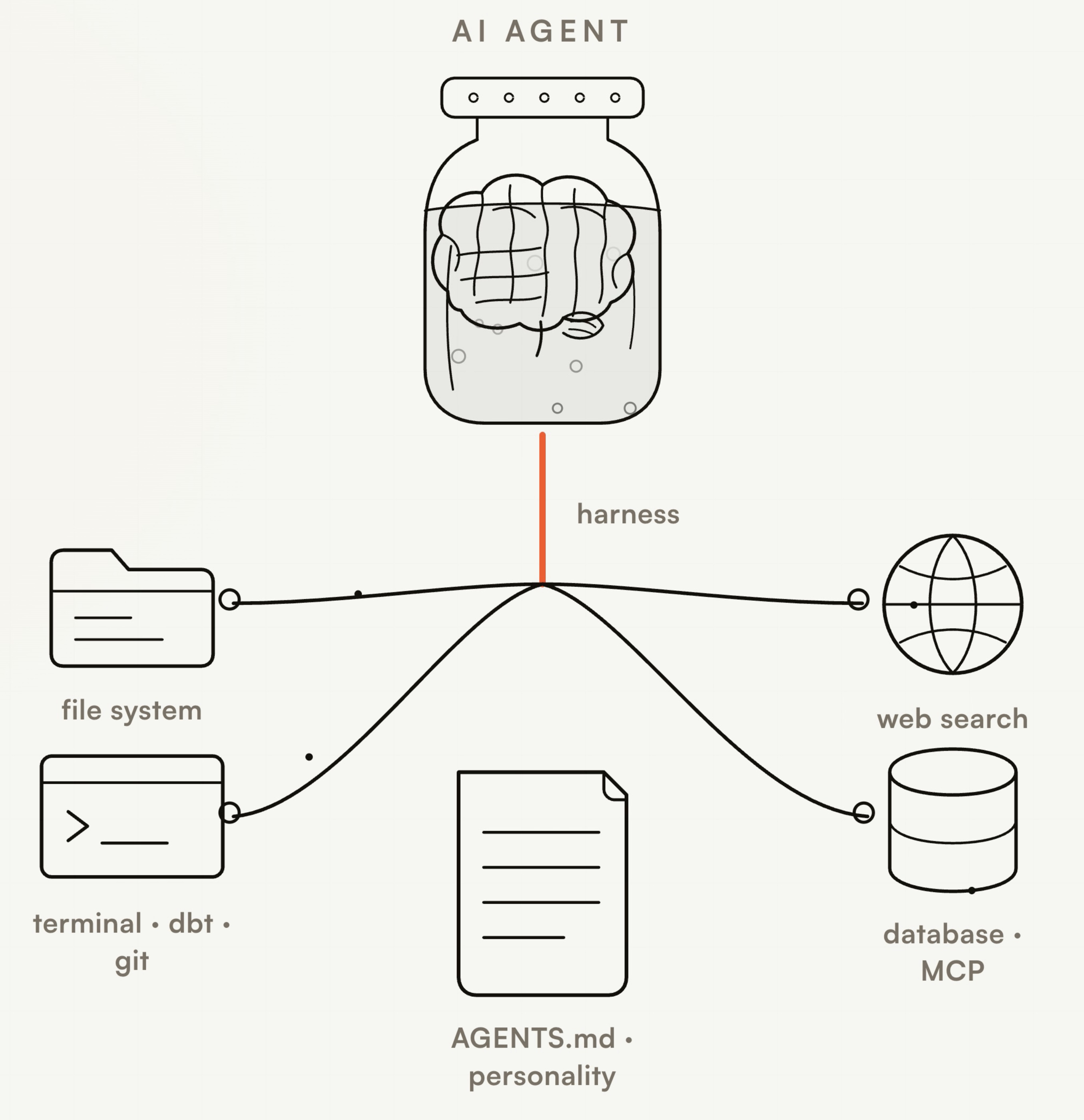
Harness is the software infrastructure surrounding the Large Language Model that turns it into an agent that can perform multi-step actions within a defined boundary by using the tools made available to it. The agent operates in an agent loop that provides tool access, maintains persistent memory between tasks and sessions, and includes guardrails and middleware to prevent the agent from going off track or entering an infinite loop.
Agent-Loops
The harness orchestrates the model in an INSPECT -> ACT -> OBSERVE -> DECIDE loop so the model works continuously: picking a tool, performing an action, reviewing the result, deciding the next step, and finally knowing when the task has finished, or a boundary condition has been met.
Tools are interfaces that let the model interact with its environment via the terminal or filesystem, or access external data via a database connection, web search, or other software system required to accomplish the task at hand.
AGENTS.md is a repository-level configuration file that provides instructions for an AI agent acting within the repository, serves as persistent memory, and defines guidelines and security and execution boundaries.
Now that we’ve defined the difference between a chatbot and an agent, let’s fix the testing bug we identified earlier using an AI agent.
Running The First Agentic Task
When you cloned the repo earlier, it already contained an AGENTS.md at the repo root,, and I’m using ChatGPT’s Codex as the harness and Sol 5.6 as my model of choice. Codex asks me to pick a project, and I choose the previously cloned local repo as the project root and choose permission as Approve for me, which lets it run terminal commands, browse and edit files via the filesystem, but it still checks with me for certain actions which are deemed destructive, such as deleting a file. With this setup, I give my agent the following first instruction.
Read AGENTS.md, CONVENTIONS.md, and STANDARDS.md first.Fix the declared grain tests for stg_pos__transactions.
The grain is branch_id and transaction_id together.
Test both columns for null values.
Test the two columns together for uniqueness.
Change only models/staging/_staging.yml.
Do not add a package or a file.
Run dbt build only for stg_pos__transactions.
Do not stage or commit any change.
The instructions tell the agent to change exactly one file, test two columns for null values, define a uniqueness test on both columns together, build one specific model, and not commit anything to the repository. The agent-loop kicks in.
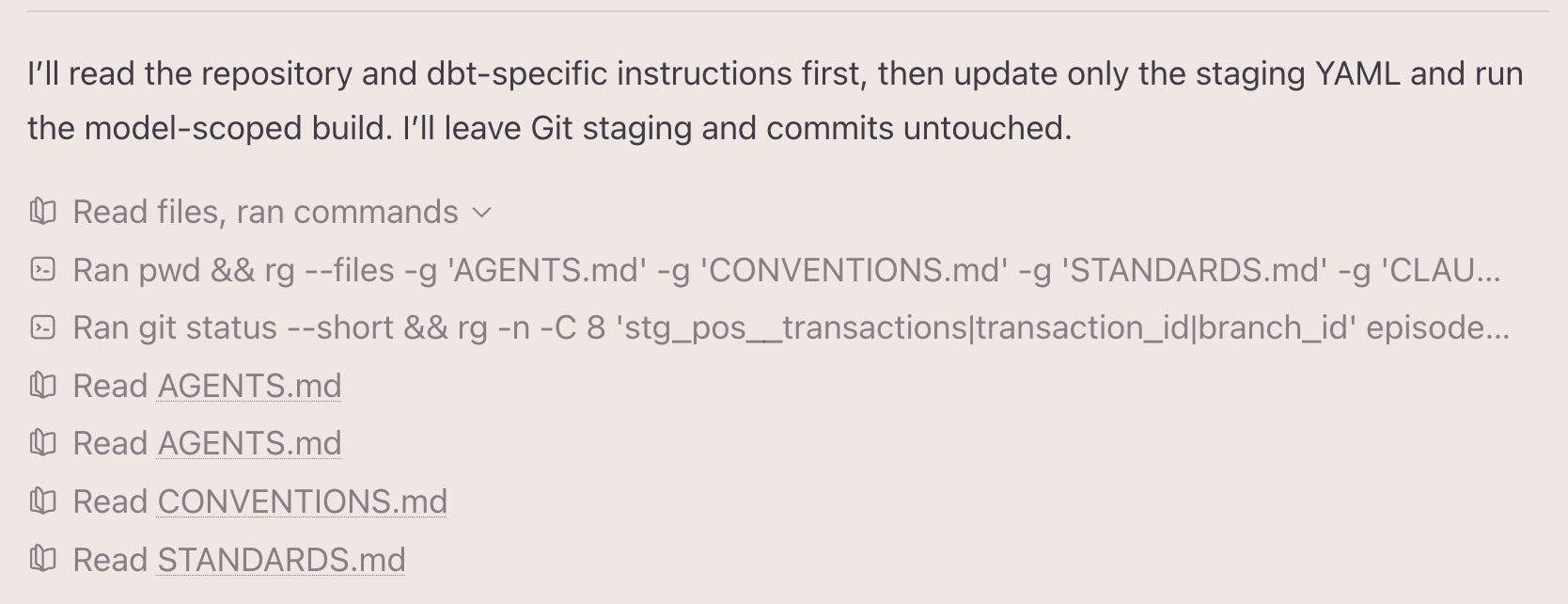
The agent loop starts with INSPECT by reading the existing files first. Then it OBSERVES that the conventions do state that transactions are not unique across branches and concludes that the current data test is incorrect.
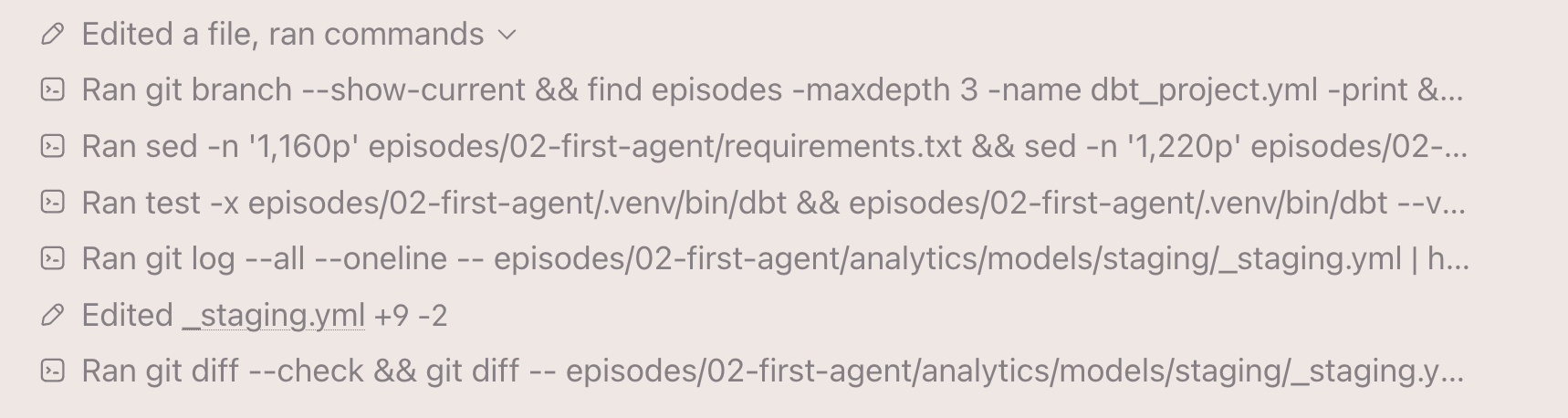
It ACTS by editing the YAML file and writing the NULL and UNIQUENESS test for the correct columns. It then runs a git diff to confirm the blast radius is limited to this one file, as instructed.
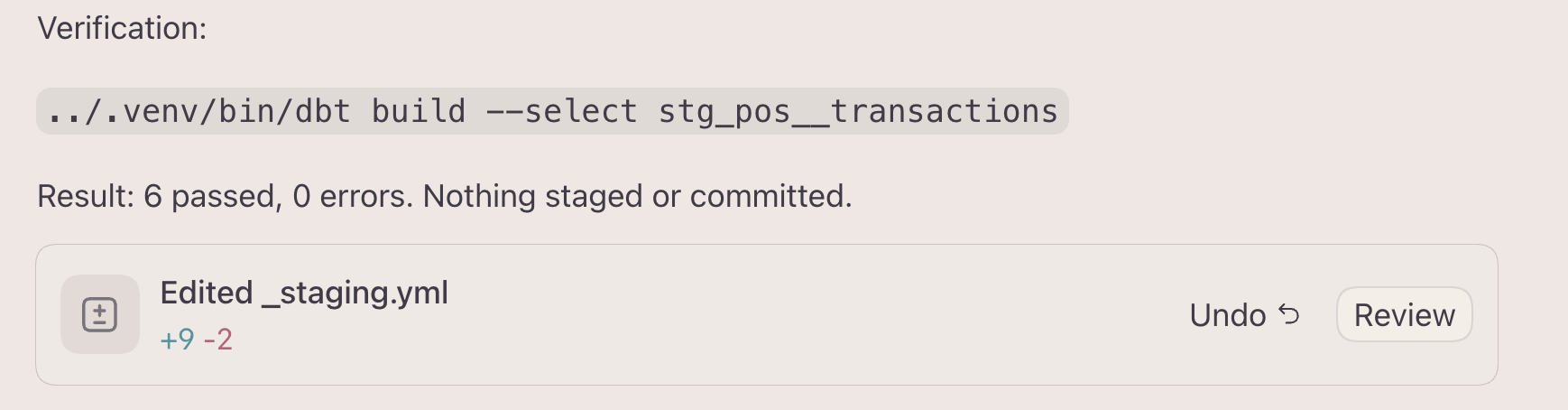
It runs a verification step by running a dbt build test only on the changed model, verifies that nothing has been committed to git, and then DECIDES that the task is finished. Thus, the agent loop concludes and successfully completes the provided bounded task end-to-end.
Conclusion
You have successfully graduated from using a Large Language Model to debug your code to leveraging the power of agentic AI to execute a complete bounded task without copying/pasting between apps. By leveraging a harness (Codex in this case) and tool access (filesystem and dbt, git access via terminal) and making use of agent-loops, you were successfully able to turn the same LLM with the same level of effort from a chatbot that would produce arbitrary code to an agent that not only understands your codebase but also makes use of tools to complete tasks on your behalf.
I highly recommend cloning the repo and trying the exercise yourself. I have recorded this entire demo and discussion as a handy video you can watch and follow along. After trying out the demo, if you are wondering why it looked great but isn’t useful on my repo, that’s exactly what I address in the next post in this series, so keep watching this space.